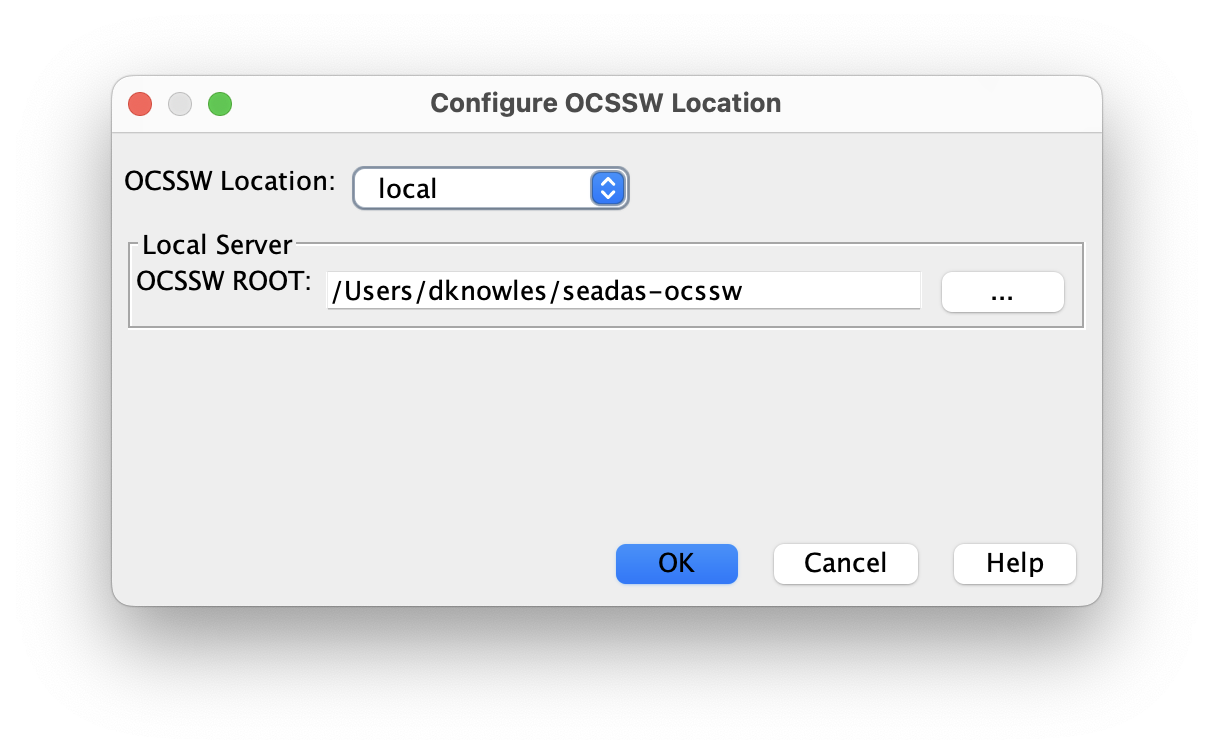
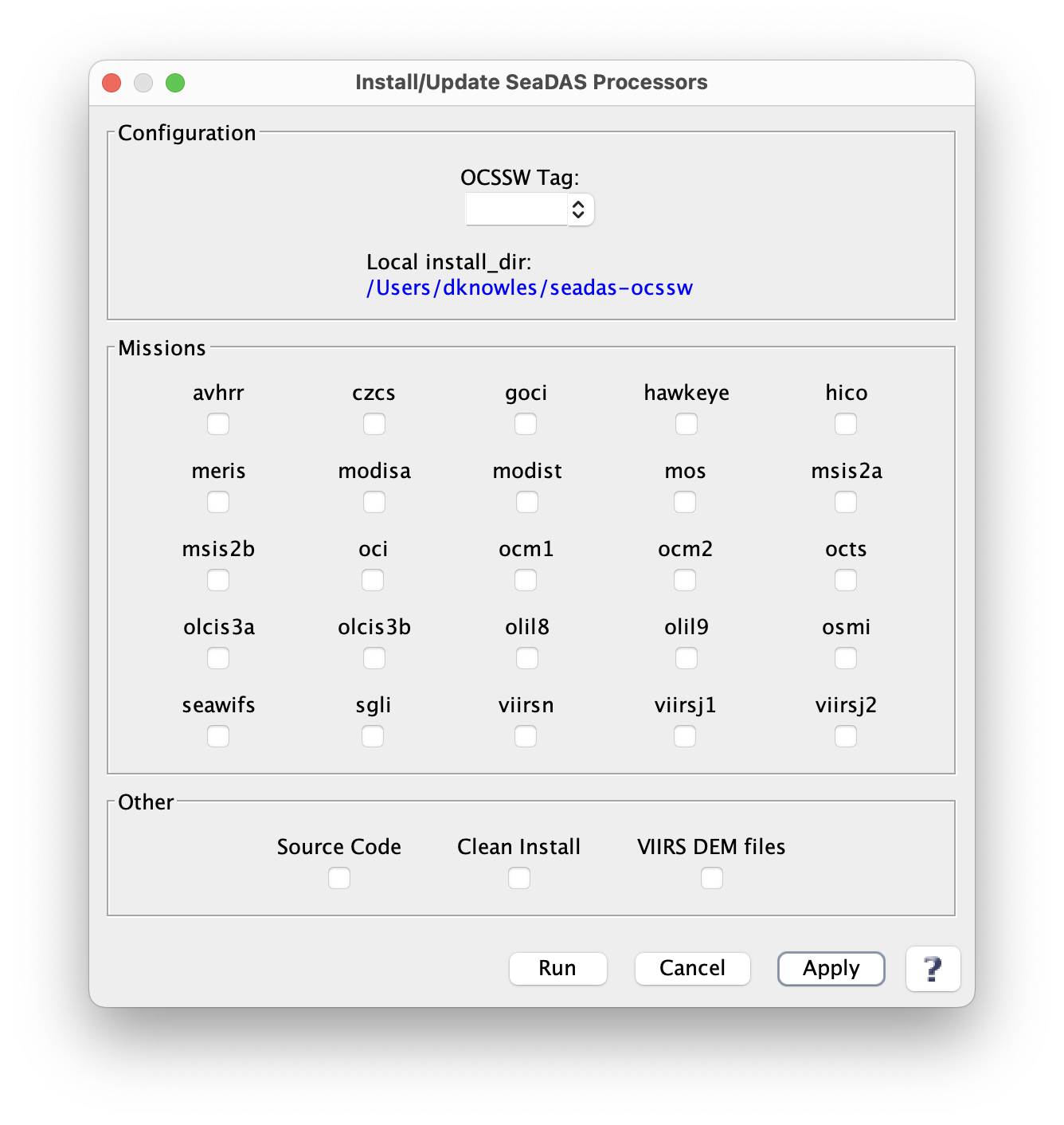
- Select desired options and click Run*
- Once installed, the processing components can be updated when necessary by repeating the above steps.
Manual Installation
The processing components can be installed manually, with or without the installation of the visualization package.
- Ensure the requirements detailed on the SeaDAS "requirements" tab are satisfied:
- Download the installer script and manifest script.
Make sure the installer script is executable:
$ chmod +x install_ocssw
Run the installer:
The following will get a list of the available Tags. Tags starting with "V" indicate operational versions while tags starting with "T" indicate test versions. The latest release is OCSSW V2026.5 tag.
$ ./install_ocssw --list_tags
The following will install the processing programs and required data packages for the MODIS-Aqua and SeaWiFS missions into the ocssw directory in the user's HOME directory:
$ ./install_ocssw --install_dir $HOME/ocssw --tag {latest-tag} --seadas --modisa --seawifs The following will install the processing source code into an existing directory:
$ ./install_ocssw --install_dir=$HOME/ocssw --tag {latest-tag} –-src The following will install the programs and data packages required for MODIS direct broadcast processing:
$ ./install_ocssw --install_dir $HOME/ocssw --tag {latest-tag} --direct_broadcast
Note: this includes the processing programs and the MODIS-Aqua and MODIS-Terra data packages. It does not include the source code.
Processing Package Installer Usage
usage: install_ocssw [-h] [--version] [--list_tags] [--installed_tag]
                     [--status] [--update] [--diff] [--difftool DIFFTOOL]
                     [--create_change] [--deliver_change]
                     [--deliver_email_from DELIVER_EMAIL_FROM] [-t TAG]
                     [-i INSTALL_DIR] [-b BASE_URL] [-l LOCAL_DIR]
                     [-s SAVE_DIR] [-c] [--wget] [-a ARCH] [-v] [--bin]
                     [--opt] [--src] [--luts] [--viirs_l1_bin] [--root]
                     [--opt_src] [--afrt] [--aquaverse] [--avhrr] [--aviris]
                     [--common] [--czcs] [--eval] [--goci] [--hawkeye]
                     [--hico] [--l5tm] [--l7etmp] [--meris] [--misr]
                     [--modisa] [--modist] [--mos] [--msis2a] [--msis2b]
                     [--oci] [--ocia] [--ocip] [--ocis] [--ocm1] [--ocm2]
                     [--ocrvc] [--octs] [--olcis3a] [--olcis3b] [--olil8]
                     [--olil9] [--osmi] [--prism] [--sabiamar] [--seawifs]
                     [--sgli] [--spexone_remotap] [--viirsdem] [--viirsj1]
                     [--viirsj2] [--viirsn] [--wv3] [--aerosol] [--cloud]
                     [--benchmark] [--viirs_l1_benchmark] [--direct_broadcast]
                     [--seadas] [--odps] [--viirs_l1] [--all]
Install OCSSW Bundles
optional arguments:
  -h, --help            show this help message and exit
  --version             print this program's version
  --list_tags           list the tags that exist on the server
  --installed_tag       list the currently installed tag
  --status              compare the main tag manifest to the files in the bundle directories
  --update              update all installed bundles to the tag given
  --diff                show the difference between the old and new text files
  --difftool DIFFTOOL   show the difference between the old and new text files using diff tool such as meld
  --create_change       create a tar file of new and modified files and a text file with a list of files to be deleted
  --deliver_change      create and copy to /glusteruser/analyst/share_delivery/ a tar file of new and modified files and a text file with a list of files
                        to be deleted, and email to swdevels@oceancolor.gsfc.nasa.gov from the email address stored in .install_ocssw
  --deliver_email_from DELIVER_EMAIL_FROM
                        create and copy to /glusteruser/analyst/share_delivery/ a tar file of new and modified files and a text file with a list of files
                        to be deleted, and email to swdevels@oceancolor.gsfc.nasa.gov from the email address you provide
  -t TAG, --tag TAG     tag that you want to install
  -i INSTALL_DIR, --install_dir INSTALL_DIR
                        root directory for bundle installation (default=$OCSSWROOT)
  -b BASE_URL, --base_url BASE_URL
                        remote url for the bundle server
  -l LOCAL_DIR, --local_dir LOCAL_DIR
                        local directory to use for bundle source instead of the bundle server
  -s SAVE_DIR, --save_dir SAVE_DIR
                        local directory to save a copy of the downloaded bundles
  -c, --clean           delete extra files in the destination directory
  --wget                use wget for file download
  -a ARCH, --arch ARCH  use this architecture instead of guessing the local machine (linux_64,linux_hpc,macosx_intel,macosx_arm64,odps)
  -v, --verbose         increase output verbosity
  --bin                 install binary executables
  --opt                 install 3rd party programs and libs
  --src                 install source files
  --luts                install LUT files
  --viirs_l1_bin        install VIIRS binary executables subset
  --root                install random files in the root dir files
  --opt_src             install 3rd party library sources files
  --afrt                install Ahmad-Fraser RT data files
  --aquaverse           install Algorithm based on Mixture Density Networks files
  --avhrr               install AVHRR files
  --aviris              install AVIRIS files
  --common              install common files
  --czcs                install CZCS files
  --eval                install evaluation files
  --goci                install GOCI files
  --harp2               install HARP 2 Polarimeter files
  --hawkeye             install Hawkeye files
  --hico                install HICO files
  --l5tm                install l5tm files
  --l7etmp              install l7etmp files
  --meris               install MERIS files
  --misr                install MISR files
  --modisa              install MODIS AQUA files
  --modist              install MODIS TERRA files
  --msis2a              install MSI Sentinel 2A files
  --msis2b              install MSI Sentinel 2B files
  --oci                 install PACE OCI files
  --ocm1                install OCM1 files
  --ocm2                install OCM2 files
  --ocrvc               install OC Virtual Constellation files
  --octs                install OCTS files
  --olcis3a             install OLCI Sentinel 3A files
  --olcis3b             install OLCI Sentinel 3B files
  --olil8               install OLI Landsat 8 files
  --olil9               install OLI Landsat 9 files
  --prism               install PRISM files
  --sabiamar            install Sabiamar files
  --seawifs             install SeaWiFS files
  --sgli                install SGLI files
  --spexone             install SPEX One Polarimeter files
  --viirsdem            install VIIRS Digital Elevation files
  --viirsj1             install VIIRS JPSS1 files
  --viirsj2             install VIIRS JPSS2 files
  --viirsn              install VIIRS NPP files
  --wv3                 install WV3 files
  --aerosol             install aerosol processing with dtdb files
  --cloud               install cloud properties processing files
  --telemetery          install telemetry packet descriptions files
  --benchmark           install benchmark MOSIS Aqua, level0 -> level3 Mapped files
  --viirs_l1_benchmark  install VIIRS benchmark data files
  --direct_broadcast    toggle on bundles needed for MODIS direct broadcast
  --seadas              toggle on the base set of bundles for SeaDAS
  --odps                toggle on the base set of bundles for ODPS systems
  --viirs_l1            install everything to run and test the VIIRS executables
  --all                 toggle on all satellite bundles
Command Line Configuration
Add the following lines to your .bashrc file to configure your command line environment. This assumes your login shell is bash. If you are using a different shell, talk to your system admin.
export OCSSWROOT=[SeaDAS_install_dir]/ocssw
source $OCSSWROOT/OCSSW_bash.env
where: SeaDAS_install_dir is the directory where you installed SeaDAS.